Get your booking page live in 5 steps
From zero to taking bookings in under 5 minutes. No technical skills needed.
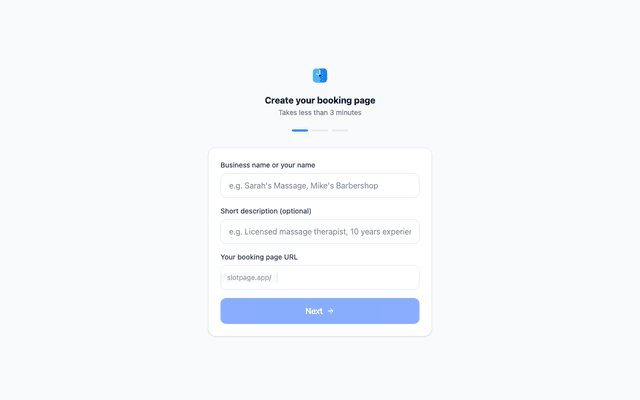
Create your booking page
Sign up with Google, then set your business name, choose a URL slug, and add a short description. Your page goes live instantly.
- Pick a short, memorable slug (e.g. slotpage.app/sarah-massage)
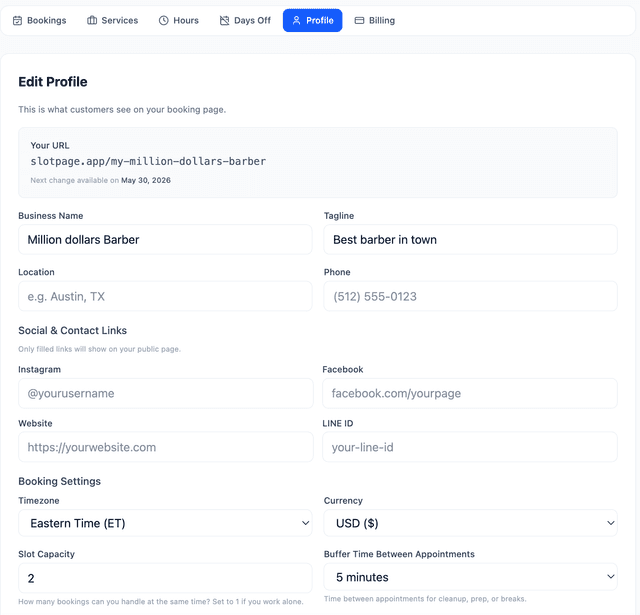
- Add your business name and tagline
- Set your timezone and currency
- Add social links (Instagram, LINE, Facebook)
Add your services
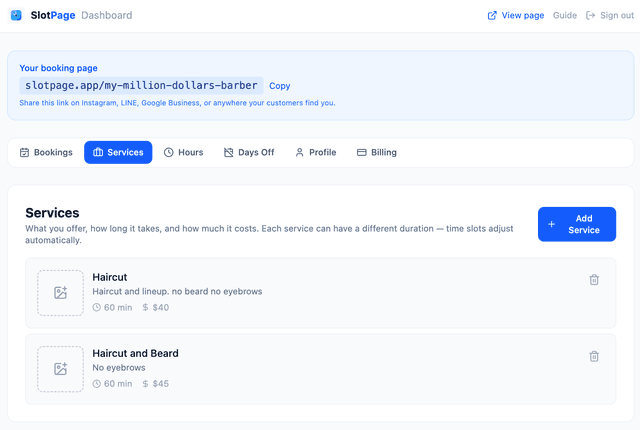
List what you offer — name, duration, price, and an optional photo. Customers see these on your booking page and pick what they want.
- Set name, duration (15 min to 4 hours), and price
- Add a description to help customers choose
- Upload a photo — pages with images get 40% more bookings
- Free plan: up to 3 services. Pro: unlimited
Set your working hours
Tell SlotPage when you're available. Customers can only book during these hours. Set different hours for each day of the week.
- Set start and end time for each day
- Mark days off (e.g. Sunday closed)
- Block specific dates for vacation or sick days
- Time slots are generated automatically based on service duration
Connect Google Calendar
Sync your calendar so personal events automatically block booking slots. New bookings appear in your calendar too — two-way sync.
- One-click Google Calendar connection
- Personal events block booking slots automatically
- New bookings appear in your Google Calendar
- Two-way sync keeps everything in one place
Enable payments
Collect payment when customers book. Connect Stripe to receive payouts directly to your bank account. No-shows drop to near zero.
- Connect Stripe in one click
- Customers pay at booking time
- Payouts go directly to your bank account
- Free plan: 2% fee. Pro: 0% platform fee (Stripe fees still apply)
Share your link everywhere
Your booking page is live at slotpage.app/your-name. Put it everywhere your customers find you.
Ready to stop losing bookings?
Create your booking page for free. Takes less than 5 minutes. No credit card required.
Get started free →